
We use cookies to give you the best online experience. By using our website you agree to our use of cookies in accordance with our cookie policy.

croom new

Exciting News! Preferred Acquires Business System Solutions Grand Rapids Learn More
Toggle Bar

Preferred Blog

Preferred has been serving the Tinley Park area since 1991, providing IT Support such as technical helpdesk support, computer support, and consulting to small and medium-sized businesses.

Android Phones Have a Handy Anti-Theft Feature You Should Use

Android Phones Have a Handy Anti-Theft Feature You Should Use

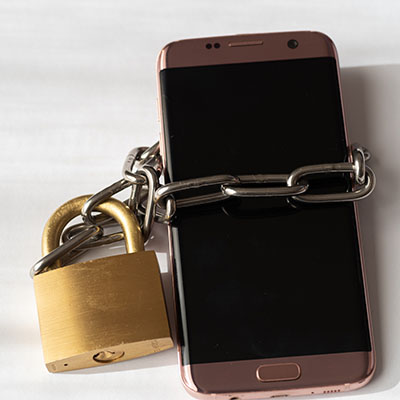
Mobile device security is critical for modern businesses, especially as they play a more prominent and significant role in daily operations. However, data loss is also a problem, regardless of the source… including if a device is wiped via a reset.

While Apple has offered a feature to prevent this for the past year or so, Android 15 now provides the same, referred to as Identity Check. Let’s explore how it works, and how to enable it for yourself.

First of all, we have to start by saying that (as of this writing) this feature is only present on Pixel devices and Samsung Galaxy devices running One UI7. While other device manufacturers may add it to their customized interfaces (and apparently plan to later this year, so they may have already as you are reading this), these instructions currently only apply if you have one of the above devices.

How Does Identity Check Work?

To protect your device, Identity Check blocks any Android account settings from being changed unless the user is in an approved location or can pass a biometric test. This block covers quite a bit, including:

  • Adjusting the screen lock
  • Adding a new fingerprint
  • Adding a new Google account to the device
  • Disabling Find My Device
  • Accessing the Password Manager and the data therein
  • Accessing developer tools and options

…and, of course…

  • resetting the device.

How to Activate Identity Check

Activating Identity Check is simple:

  • Access your Settings
  • Navigate to Google account
  • Select All services
  • Find Theft Protection
  • Enable Use Identity Check

While you’re there, you can also add trusted locations using Manage. Deactivating Identity Check requires you to either authenticate using your biometrics or log into your Google account.

Did You Know Windows Can Save Everything You Copy?
The Dark Web is No Place for Your Data
 

Comments

No comments made yet. Be the first to submit a comment
Guest
Already Registered? Login Here
Guest
Tuesday, December 09 2025

Captcha Image

Sign Up for Our Newsletter

  • First Name *
  • Last Name *

      Mobile? Grab this Article!

      Qr Code

      Blog Archive

      Latest Blog Entry

      For many small and mid-sized businesses, cybersecurity once felt like something for the “big guys.” You had antivirus software, ran updates occasionally, and assumed your data was too small to attract attention. But that illusion is gone. Today, cybersecurity is no longer op...

      Latest News

      Preferred Communication Systems Acquires Business System Solutions’ Grand Rapids Operations, Expanding Midwest Footprint

      GRAND RAPIDS, MI, UNITED STATES, December 3, 2025 -- Preferred Communication Systems (Preferred), a leading provider of Managed IT and Cybersecurity services headquartered in Chicago, Illinois, proudly announced the acquisition of Business System Solutions’ (BSS) Grand Rapids location.

      This strategic acquisition enhances Preferred’s presence in the Midwest and strengthens its commitment to helping small and mid-sized businesses achieve peace of mind and a better bottom line through technology.